Short answer: the Razer DeathAdder Essential is a sensible budget wired mouse if you want a comfortable right-handed shape, responsive control, and a low price. My unit has been reliable so far. The main reason to skip it is taste: if you dislike a lit logo, want wireless convenience, or need newer high-end sensor features, this is not that kind of mouse.
What I use it for
I have used this mouse for about three months while operating a computer day to day. My use is closer to office work and general PC control than competitive gaming. That matters because a budget wired mouse can be perfectly good for normal work even if it is not the newest esports-focused model.
The two things I notice most are grip comfort and control. The DeathAdder shape fills the hand in a way that feels stable, and the cursor response has been sensitive enough for my normal work. I have not had faults, disconnects, or uncomfortable heat issues.
Official specs that matter
| Spec or feature | Official or physical evidence | What it means in use |
|---|---|---|
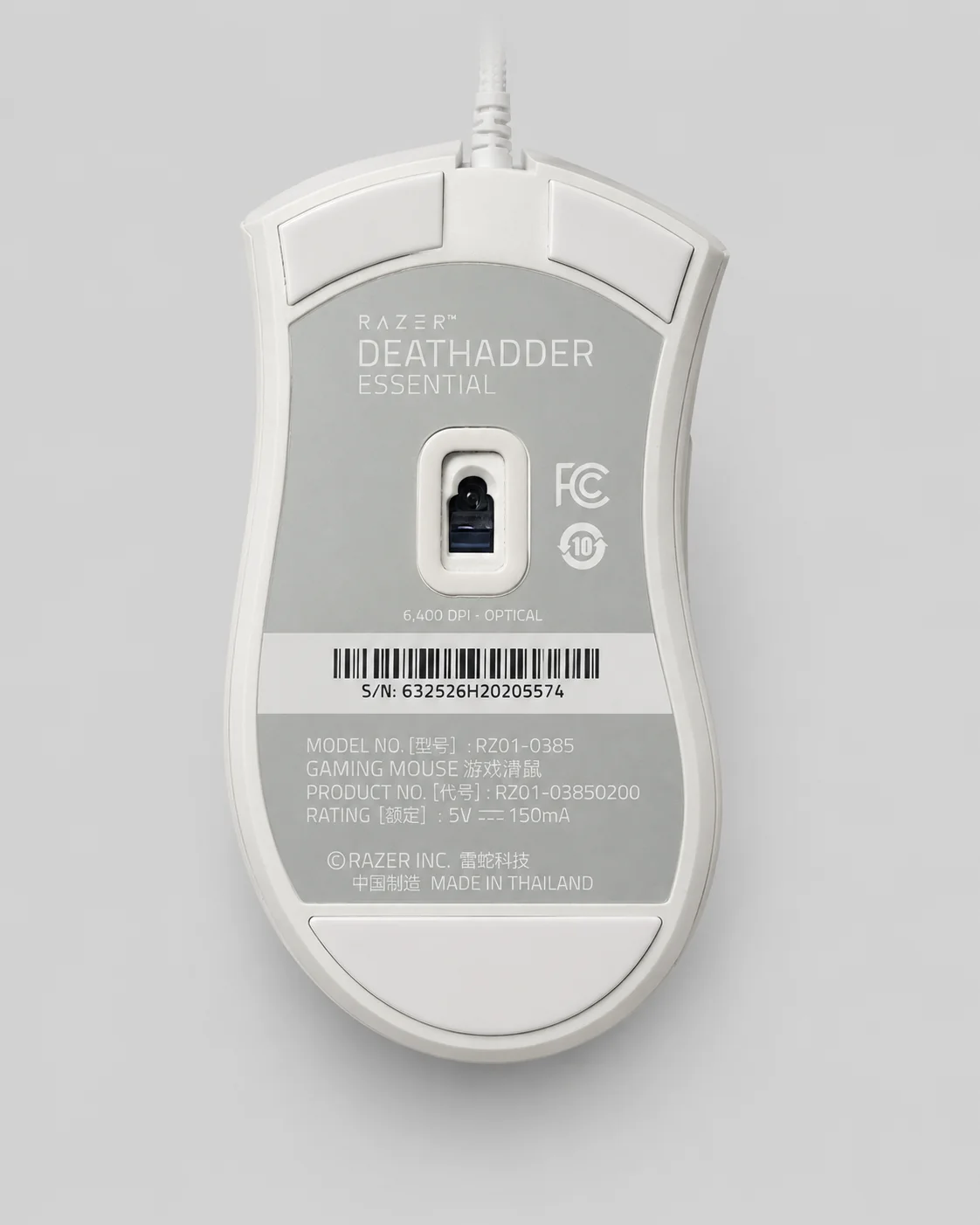
| Model | Razer DeathAdder Essential, RZ01-0385 shown on my unit | This is the budget DeathAdder model, not the newest wireless or esports version |
| Sensor | 6,400 DPI optical sensor listed by Razer and on my label | More than enough sensitivity for office use and casual gaming |
| Buttons | Five buttons listed by Razer | Left, right, wheel click, and two side buttons cover normal productivity and gaming shortcuts |
| Connection | Wired USB | No battery to charge, but less desk freedom than wireless |
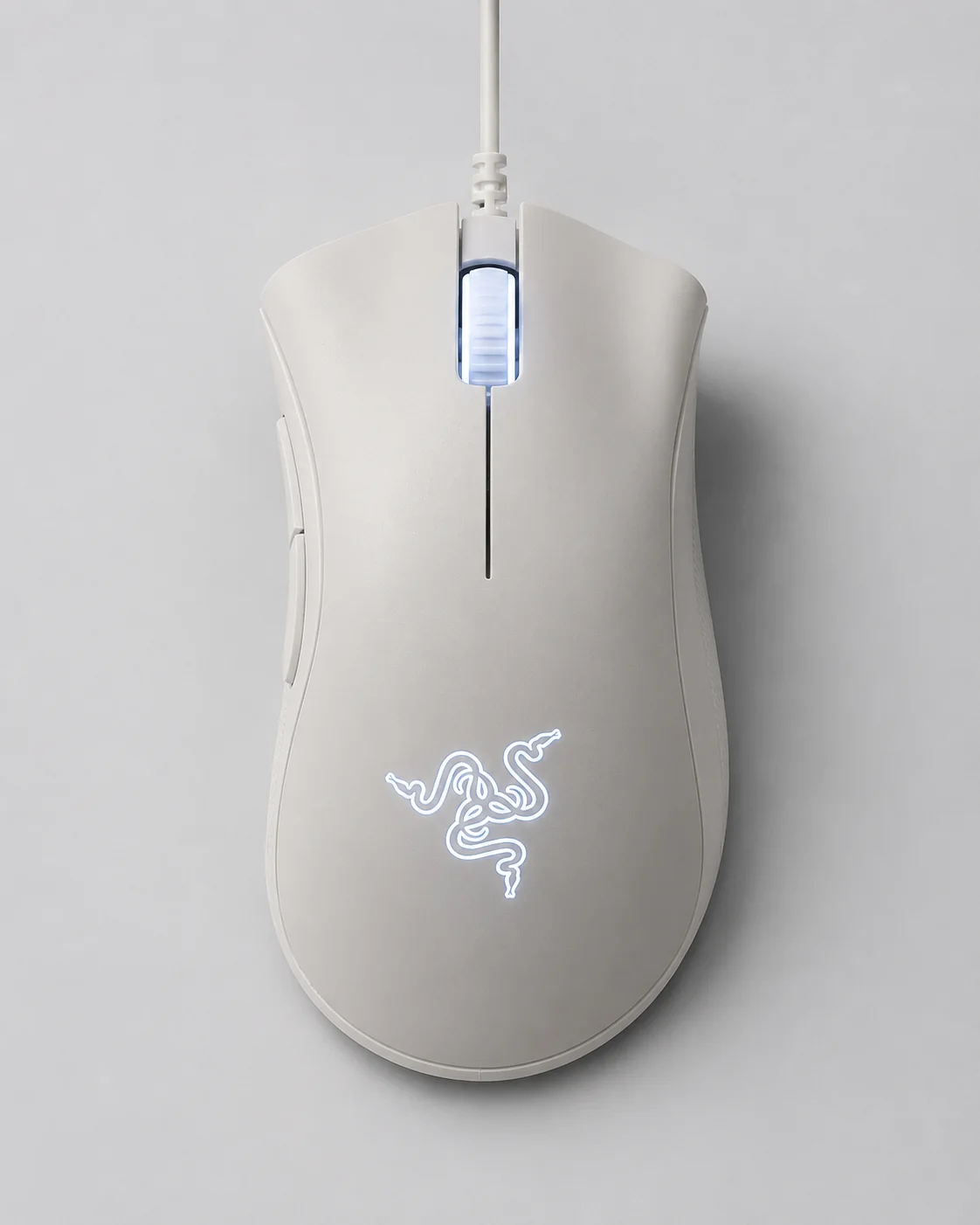
| Lighting | Lit logo and wheel on my white unit | Looks nice if you like it, distracting if you want a plain office mouse |
The shape is the reason to buy it
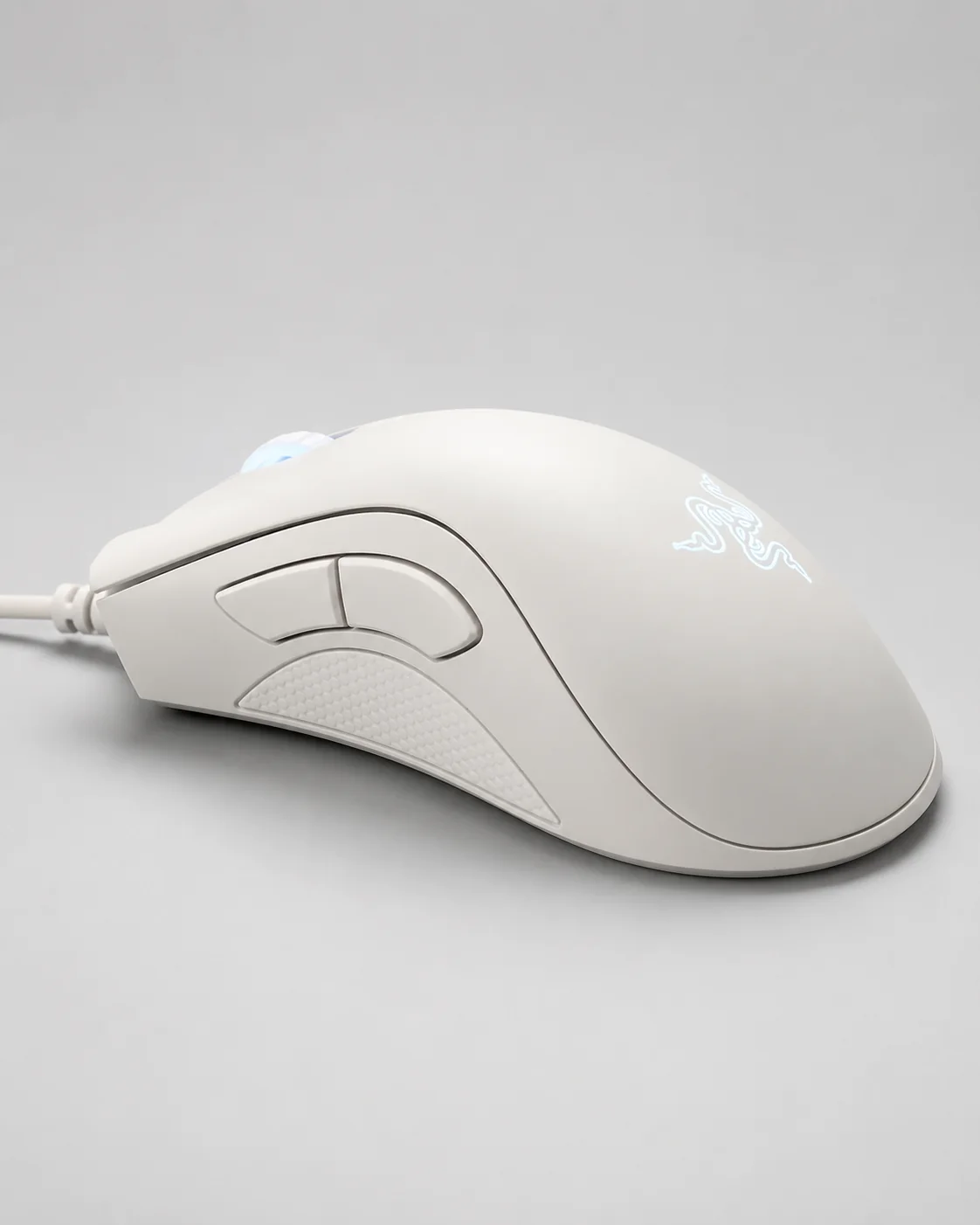
The DeathAdder Essential is not trying to win on the newest sensor or the lightest shell. It wins, if it wins for you, because the shape is comfortable. The right-handed body gives the palm somewhere to rest, and the side grip area makes the mouse feel controlled instead of slippery.
For long computer sessions, that matters more than small spec-sheet differences. A technically better mouse that annoys your hand is still the wrong mouse. In my use, the DeathAdder Essential has felt comfortable enough that I do not think about it while working.
Control and buttons
The cursor control has felt responsive in ordinary use. Razer's 6,400 DPI number is already far above what many office users need. I do not need extreme DPI settings for browsing, writing, spreadsheets, or general app navigation. What I need is predictable movement, a comfortable grip, and buttons that are easy to reach.
The two side buttons are useful for browser back and forward, and the scroll wheel is easy to locate by feel. I would not call this a premium click-feel mouse, but at the budget level it does the basics well.
The lighting question
My only real warning is the lighting. The logo and wheel light are part of the look. If you like gaming-style hardware, it makes the mouse feel more lively. If you want a plain office desk, it may be the one thing you notice in a negative way.
At around the low-budget price range I paid, I do not expect the feature set of a premium device. My view is simple: if you can live with the light and wired cable, the value is strong. If either of those annoys you, buy something quieter or wireless.
Who should buy it
- You want a comfortable right-handed wired mouse for daily computer work.
- You want a low-cost mouse from a known gaming brand.
- You use side buttons for browser or app shortcuts.
- You do not mind a lit logo and a wired cable.
Who should skip it
- You want a quiet, plain office mouse with no visible lighting.
- You need wireless freedom or multi-device Bluetooth switching.
- You want the newest ultra-light DeathAdder model.
- You are left-handed and need a symmetrical shape.
Final verdict
After about three months, the Razer DeathAdder Essential feels like a good budget mouse because it gets the human part right: the grip is comfortable, the control feels responsive, and the side buttons are useful. It is not a premium mouse pretending to be cheap. It is a cheap wired mouse with a proven shape.
I would recommend it to someone who wants a comfortable wired mouse for normal computer work and casual gaming. I would not recommend it to someone who dislikes lighting, needs wireless, or wants the newest sensor and ultra-light hardware. For its price class, that is a fair trade.
Sources and method
First-hand notes come from my own DeathAdder Essential and about three months of computer use. Official specifications were checked against Razer's DeathAdder Essential product page on July 7, 2026. I did not run click-latency, sensor-accuracy, or durability testing.