Quick verdict
Choose a switch only after deciding where the keyboard will be used, how much force feels sustainable, and whether the board allows inexpensive replacement. Switch “color” is a useful starting point, not a complete description of sound or typing quality.
No keyboard or switch samples were supplied for hands-on testing. Specifications below come from Cherry’s official current product pages; conclusions about use cases are editorial analysis.
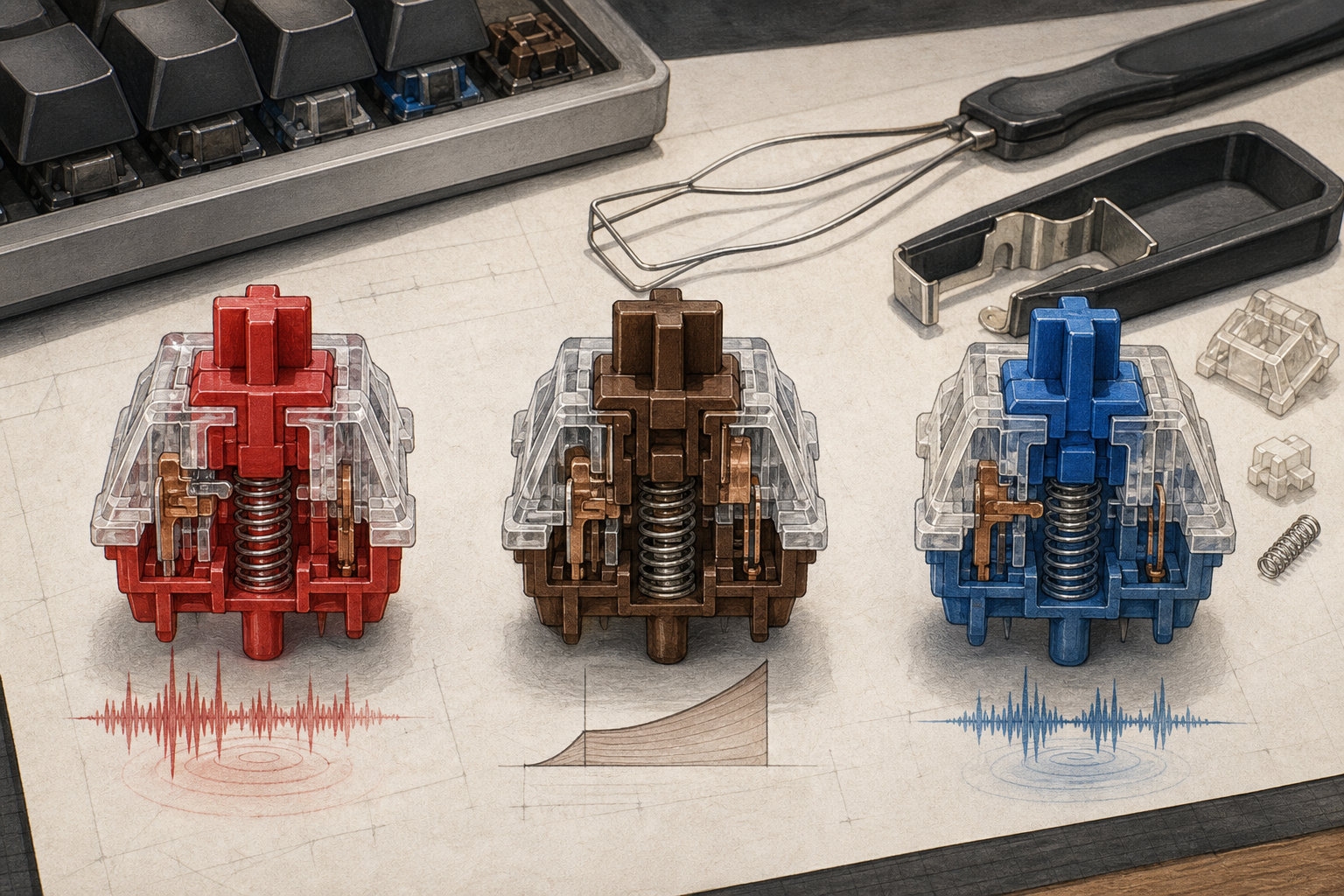
Three common Cherry reference points
| Switch | Character | Operating force | Pre-travel | Total travel | Published life |
|---|---|---|---|---|---|
| MX Red | Linear, no click | 45 cN | 2.0 mm | 4.0 mm | More than 100 million |
| MX Brown | Tactile, no click | 55 cN | 2.0 mm | 4.0 mm | More than 100 million |
| MX Blue | Tactile and clicky | Verify current page | Verify current page | Verify current page | More than 50 million |
These figures describe the switch, not the assembled keyboard. Other brands may use the same color names with different force curves and travel.
1. Decide on noise before feel
A clicky switch intentionally produces an acoustic event in addition to bottom-out and return noise. That can be satisfying in a private room and inappropriate in a shared office, library or late-night household. Tactile and linear switches are not automatically quiet; hard bottoming-out, a resonant case and thin keycaps can still produce substantial sound.
If noise matters, compare complete-keyboard recordings made with the same microphone position and desk surface. Better still, use a return policy and test in the actual room. A switch tester cannot reproduce a keyboard’s case resonance or stabilizers.
2. Force and force curve matter more than labels
Cherry lists MX Red at 45 cN operating force and MX Brown at 55 cN. The difference can be noticeable, but a single number does not show the entire force curve. Tactile bump shape, spring weight near bottom-out and return force affect the experience.
People who type lightly may prefer a lower-force linear switch, while accidental-key concerns may point toward a tactile event or heavier spring. There is no universal ergonomic winner. Pain or numbness should not be solved by buying increasingly specialized switches without addressing posture, workload and professional advice where appropriate.
3. Check the board’s repair path
A hot-swap socket can let an owner replace a failed or disliked switch without soldering, but compatibility still matters. Check whether the board accepts 3-pin or 5-pin MX-style switches, whether the LEDs interfere, and whether opening the case affects the warranty.
For a soldered board, one failed switch can require disassembly and soldering skill. That is not necessarily bad—soldered construction can be reliable—but it changes the cost of repair. Ask whether the manufacturer sells replacement keycaps, stabilizers, cables or batteries.
4. Separate switch choice from keyboard choice
Case material, plate, mounting style, internal foam, stabilizers, keycap profile and desk surface all change sound and feel. Wireless firmware, layout, remapping software and battery replacement can matter more over five years than the original switch.
Evaluate the complete product: layout first, connectivity second, repairability third, and switch last. A perfect switch in an inconvenient layout is still an inconvenient keyboard.
Use-case recommendations
| Use case | Sensible starting point | Main warning |
|---|---|---|
| Shared office | Non-clicky tactile or quieter linear | “Non-clicky” is not the same as silent |
| Gaming | Light linear or preferred tactile | Marketing labels do not prove faster performance |
| Heavy typing | Moderate force chosen by sample test | Avoid assuming tactile always reduces fatigue |
| First custom board | Hot-swap MX-compatible board | Confirm socket and switch-pin support |
| Long ownership | Replaceable cable, switches and caps | Check firmware and battery service too |
Buying checklist
- Confirm layout and key sizes before buying replacement keycaps.
- Listen to the complete keyboard, not an isolated switch.
- Compare operating force and travel from the exact manufacturer.
- Check hot-swap compatibility and spare-switch availability.
- Verify wired operation if the board is wireless.
- Review remapping software, account needs and operating-system support.
- Confirm warranty implications before opening or modifying the case.
- Buy a small switch sample rather than a full set when uncertain.
Final recommendation
For a first mechanical keyboard, a non-clicky hot-swap board offers the widest margin for correction. Start with a moderate linear or tactile option, then change only if a specific problem appears. Sound constraints and repairability are durable decision factors; fashionable switch names are not.
How this guide was prepared
GameFunns reviewed Cherry’s official MX Red, Brown and Blue pages on July 5, 2026. No hands-on sound, force or durability measurements were available.